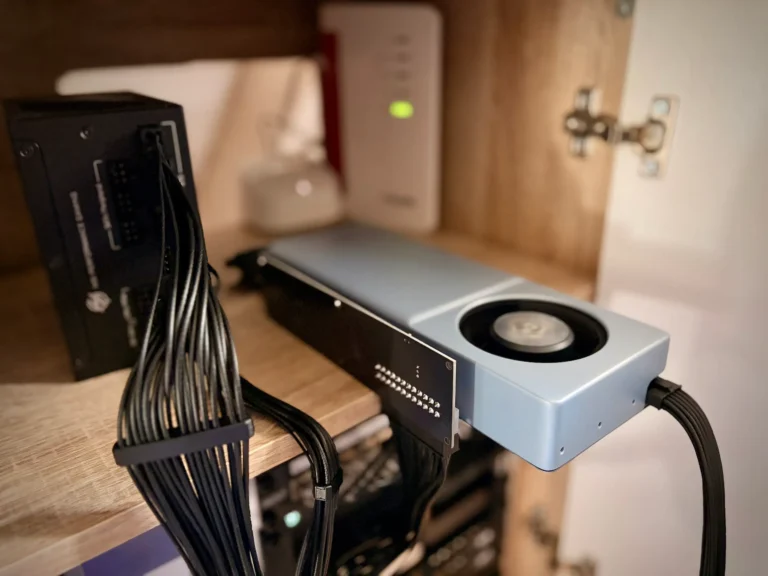
Die Einrichtung von llama.cpp im Router-Modus innerhalb eines Proxmox LXC-Containers. Dies ermöglicht die Nutzung der AMD Radeon 780M iGPU über Vulkan für ein dynamisches, multi-Modell-Serving. Die Anleitung umfasst die Kompilierung, die Konfiguration eines systemd-Dienstes und die Integration mit OpenWebUI.
Techstack
- AMD Radeon 780M iGPU: ~25-30 TOPS mit Vulkan
- Proxmox LXC: Container mit GPU-Passthrough
- OpenWebUI: Clean Web-UI mit automatischer Modellerkennung
Funktionen
- Router Mode: Dynamisches Laden/Entladen von Modellen, kein manuelles Port-Wechseln
- Dienst: systemd-Dienst mit Auto-Neustart & Protokollierung
Voraussetzungen
LXC muss GPU-Passthrough unterstützen (/dev/dri/renderD128 zugänglich):
apt update
apt install -y git cmake build-essential pkg-config ccache \
  libopenblas-dev libvulkan-dev libshaderc-dev glslc vulkan-tools \
mesa-vulkan-drivers libgl1-mesa-dri libssl-dev radeontop1. llama.cpp mit Vulkan kompilieren
git clone https://github.com/ggml-org/llama.cpp
cd llama.cpp
cmake -B build -DGGML_VULKAN=ON -DGGML_BLAS=ON \
  -DGGML_BLAS_VENDOR=OpenBLAS -DCMAKE_BUILD_TYPE=Release
cmake --build build --config Release -j"$(nproc)"✅ Vulkan überprüfen:
vulkaninfo --summary  # Must show "RADV PHOENIX" as GPU0
./build/bin/llama-cli --list-devices # Vulkan GPUs listed🔄 2. llama.cpp aktualisieren
cd ~/llama/llama.cpp
git pull origin master
rm -rf build
cmake -B build -DGGML_VULKAN=ON -DGGML_BLAS=ON \
  -DGGML_BLAS_VENDOR=OpenBLAS -DCMAKE_BUILD_TYPE=Release
cmake --build build --config Release -j"$(nproc)"
systemctl restart llama-routerStabilität: git checkout vB33 (oder neuestes stabiles Tag).
3. Verzeichnisstruktur
~/llama/
├── llama.cpp/                    # Source + llama-server binary
│   └── build/bin/llama-server
├── models/                       # All GGUF files here
│   ├── qwen2.5-coder-7b-q4.gguf
│   ├── phi-4-mini-q4.gguf
│   └── llama3.1-8b-q4.gguf
└── llama-router.service # systemd service file4. Router-Modus – Teststart
cd ~/llama/llama.cpp
./build/bin/llama-server \
  --host "0.0.0.0" --port 8080 \
  --models-dir ~/llama/models \
  --models-max 2 \
  --ctx-size 8192 \
  --n-gpu-layers -1 \
--log-disableWichtige Router-Parameter:
--models-dir: Durchsucht diesen Ordner automatisch nach.gguf-Dateien--models-max 2: Maximal 2 Modelle geladen (LRU-Verdrängung bei voller Kapazität)- Kein
-m-Parameter: Router-Modus anstelle eines einzelnen Modells --n-gpu-layers -1: Volle GPU-Offload auf Radeon 780M
5. systemd-Dienst
Erstelle die Datei ~/llama/llama-router.service:
[Unit]
Description=llama.cpp Router Server (AMD Vulkan)
After=network.target

[Service]
Type=simple
WorkingDirectory=/root/llama/llama.cpp
ExecStart=/root/llama/llama.cpp/build/bin/llama-server \
  --host 0.0.0.0 \
  --port 8080 \
  --models-dir /root/llama/models \
  --models-max 2 \
  --ctx-size 8192 \
  --n-gpu-layers -1 \
  --batch-size 512 \
  --log-disable
Restart=always
RestartSec=5

[Install]
WantedBy=multi-user.targetInstallieren & starten:
cp ~/llama/llama-router.service /etc/systemd/system/
systemctl daemon-reload
systemctl enable --now llama-router
systemctl status llama-router6. OpenWebUI Integration
Folgt der offiziellen OpenWebUI llama.cpp Dokumentation:
Admin-Panel → Verbindungen → ➕ OpenAI Kompatibel:
URL: http://lxc-ip:8080/v1
API Key: none (or empty)
Vorteile des Routers gegenüber den Docs:
- OpenWebUI erkennt automatisch alle Modelle von
/models/ - Kein Port-Wechsel zwischen Modellen erforderlich
- Docs Einzelmodell (
-m) → Router Multi-Modell (--models-dir)
Timeout-Tipp (langsames Laden des Modells):
export AIOHTTP_CLIENT_TIMEOUT_MODEL_LIST=307. Router-Management-API
# List all available models
curl http://localhost:8080/models

# Load specific model manually
curl -X POST http://localhost:8080/models/load \
  -H "Content-Type: application/json" \
  -d '{"model": "qwen2.5-coder-7b-q4.gguf"}'

# Check currently loaded models (OpenAI endpoint)
curl http://localhost:8080/v1/modelsManagement & Logging
# Live logs
journalctl -u llama-router -f

# Service control
systemctl {status,restart,stop} llama-router

# GPU monitoring (AMD)
radeontop

# Router health
curl -s http://localhost:8080/health | jqFehlerbehebung
# Vulkan/GPU issues
vulkaninfo | grep RADV
./build/bin/llama-cli --list-devices

# Service failed?
journalctl -u llama-router -n50 --no-pager

# Models not visible?
ls -la ~/llama/models/*.gguf
curl http://localhost:8080/modelsProfi-Tipps
- Konservativ starten:
--models-max 1für ein einzelnes Modell-ähnliches Verhalten - Modellbenennung: Verwendet die
.gguf-Dateinamen (wird in OpenWebUI angezeigt) - Batch-Größe:
--batch-size 512optimiert den Vulkan-Durchsatz - Git-Stabilität:
git checkout vB33Hautpversionen - LXC GPU: Überprüfen Sie, ob
/dev/dri/renderD128im Container gemountet ist
Vollständiger Update-Workflow
cd ~/llama/llama.cpp && \
git pull origin master && \
rm -rf build && \
cmake -B build -DGGML_VULKAN=ON -DGGML_BLAS=ON -DCMAKE_BUILD_TYPE=Release && \
cmake --build build -j$(nproc) && \
systemctl restart llama-router